Intraoral scanners · Guide · UK 2026
Choosing an intraoral scanner in 2026: what matters for a general practice
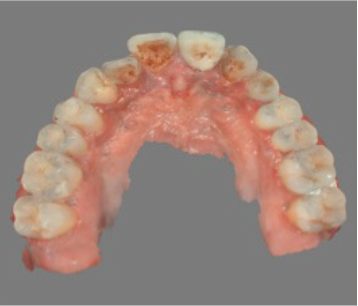
Intraoral scanners have moved from a specialist tool to something many general practices now see as standard. The choice has grown too, and most current scanners are capable of good results in trained hands. So the question is less "can it scan?" and more "will it fit how we work?" Here is how I suggest thinking about it.
1. Be clear what you will use it for
For most general practices the core uses are crowns and bridges, restorative impressions, aligner and orthodontic records, night guards and whitening trays, and patient communication. If you place implants, add scan bodies and CBCT merging to the list. If you want same-day dentistry, you need to consider design and milling or printing too. Your list decides which features actually matter.
2. Accuracy where it counts
Published accuracy figures are measured under controlled conditions and are hard to compare between brands. In practice, look at full-arch performance if you do implants or aligners, and how the scanner handles subgingival margins, saliva and reflective surfaces. Ask your lab what results they see from that scanner.
3. Speed, ergonomics and hygiene
Every member of the team who scans needs to be comfortable with it. Check the tip size, weight and balance, whether it's wired or wireless, and how tips are reprocessed (autoclavable or disposable) and what that costs over time. A scanner that is quick to learn will get used; one that is awkward will sit in a drawer.
4. Software and file freedom
Check whether you can export open STL, PLY or OBJ files freely, or whether exports are tied to a cloud platform or subscription. Open files let you work with any lab and any design software. Also check the ongoing software costs and what happens if you stop paying.
5. Lab connection
Your scanner is only as good as your workflow with your lab. Confirm your lab can receive scans in the format and portal you'll use, and agree how you'll communicate margins, shades and notes.
6. CBCT and implant integration
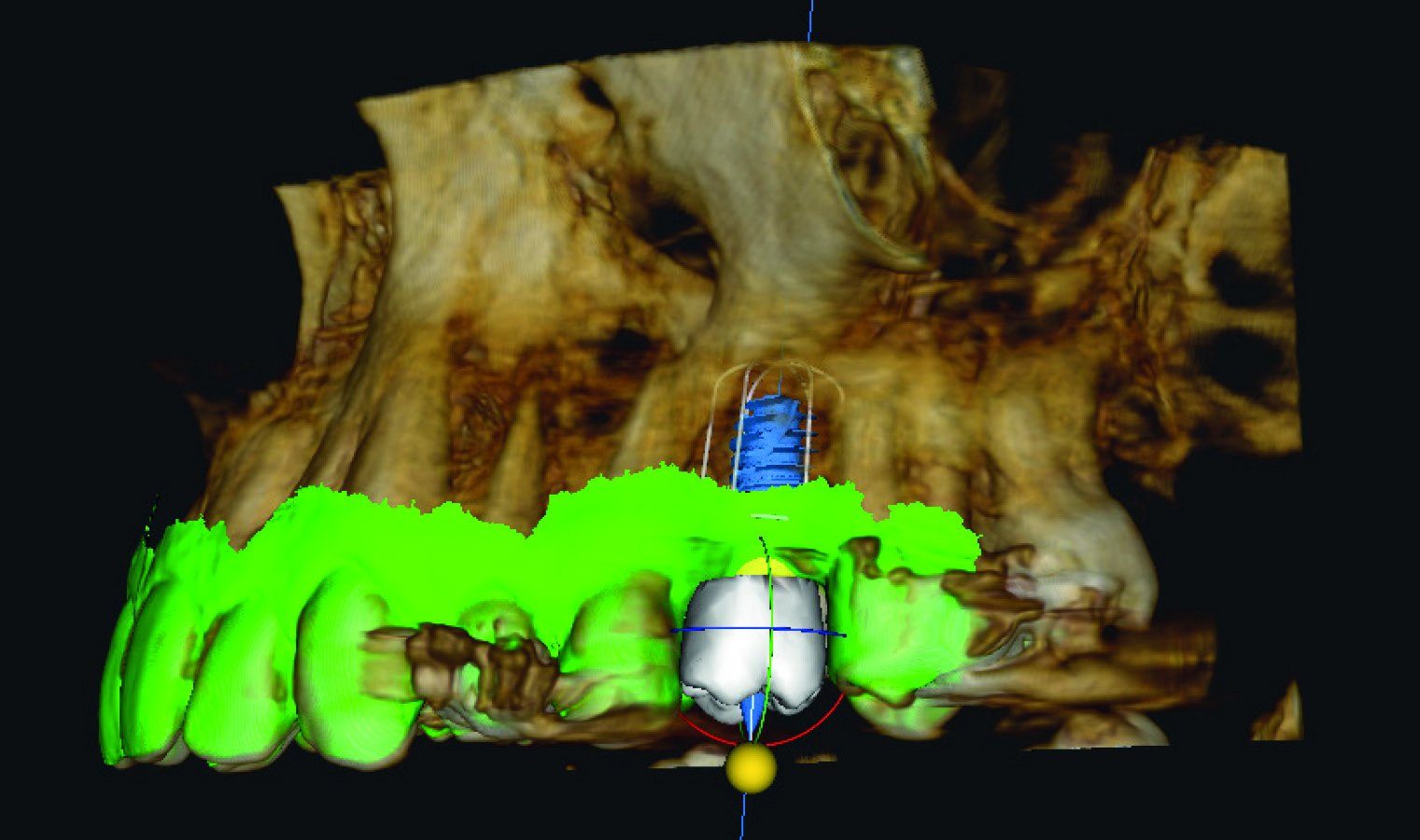
If you have or plan to buy a CBCT, merging the intraoral scan with the CBCT volume lets you plan implants prosthetically, crown first, and design a surgical guide. Check that your scanner's files import cleanly into your CBCT software. The 360V crown-first AI implant planning case study shows what that merged workflow looks like in practice. For practices placing implants, it helps to see how scanning, planning and the implant system fit together, for example with OXY implant systems from 360 Dental.
7. Chairside and same-day options
Some scanners pair with chairside design and 3D printing, which can enable single-visit restorations for suitable cases. Be realistic about the learning curve, the materials you'll use, and which cases suit it. It's worth seeing a full workflow demonstrated before committing.
8. Training and support
Ask who trains the team, whether training is clinical or just software, and who you call when the scanner or software has a problem. Support response matters if your appointment book depends on it.
9. Try before you buy
Book a demonstration and scan real patients or models with your own team. Compare a few options side by side. 360V's intraoral scanner range covers several brands, including iTero, DEXIS and Eighteeth, so you can compare more than one approach.
10. Think about the total cost of ownership
The purchase price is only the start. Over the life of a scanner you may pay for software licences or cloud storage, replacement tips or sleeves, warranty extensions, and eventually a hardware upgrade. Ask each supplier to set out what is included for the first few years and what is optional, so you can compare like with like. I'd also ask how long the model is expected to be supported with software updates.
If you're interested in going further and printing restorations in the surgery, I've written about chairside 3D printing of permanent crowns and bridges.
11. Plan the rollout, not just the purchase
The practices that get the most from a scanner plan how it will be used from day one. Decide who will scan (dentists, nurses, hygienists, therapists within their scope), which appointments will switch to digital first, and how you will handle cases where a conventional impression is still the better option. Set aside time for the team to practise on each other and on models before scanning patients. Agree with your lab how you'll handle early remakes or questions while everyone is learning.
Finally, use the scan with patients. Showing someone a 3D model of their own teeth on screen is one of the simplest ways to explain wear, cracks or the benefit of a proposed treatment. That communication benefit is often why teams end up using the scanner every day, not only for impressions.
Quick checklist
- List your uses: crowns, aligners, implants, appliances, same-day.
- Ask your lab about real-world results.
- Check ergonomics with the whole team.
- Confirm open file export and ongoing software costs.
- Test CBCT merging if you plan implants.
- Agree training and support before you sign.
FAQ
Which intraoral scanner is best for a general practice?
There isn't one answer. Choose based on your main uses, ergonomics for your team, open file export, lab compatibility and support.
Do I need a subscription for an intraoral scanner?
Some scanners need ongoing software or cloud fees; others don't. Check what is included and what happens if you stop paying before you buy.
Can an intraoral scan be combined with a CBCT?
Yes. Most CBCT planning software can merge an STL scan with the CBCT volume for crown-first implant planning and guide design.
Are wireless scanners worth it?
They can improve ergonomics between surgeries, but check battery life, weight and hygiene workflow.